What is RPA (Robotic Process Automation)?
Robotic Process Automation (RPA) is an automation technology that uses software bots to perform repetitive, rules‑based tasks the same way a human would—by interacting with applications through the user interface. RPA software can click buttons, enter data, read documents, move files, and communicate with systems just like an employee, but faster and without errors.
With RPA, you can:
- Log into websites and applications
- Copy and move data between systems
- Process emails, spreadsheets, and PDFs
- Generate reports and update records
- Follow defined decision rules and workflows
Opportunities for automation exist virtually anywhere because RPA is scalable, flexible, and efficiently integrates workflows across systems, applications, and departments. That makes it one of the fastest and most cost‑effective ways to automate business and IT processes across an organization.
Key Takeaways:
- RPA software uses software bots to automate repetitive, rule-based tasks.
- RPA bots mimic how humans interact with applications—clicking buttons, entering data, processing files, and more.
- Businesses adopt RPA software to boost productivity, improve accuracy, and reduce operational costs.
- RPA software allows organizations to automate workflows across systems, applications, and departments without coding.
What are the Benefits of RPA Software?
Robotic process automation solutions boost productivity, improve accuracy, and help your organization grow by giving repetitive, manual workloads to software robots. With RPA software, you can:

Mimic Manual Tasks
RPA software frees up your human workforce to do more strategic work that adds value to your business. All while optimizing processes and reducing errors.

Automate Integrations
Leverage a central RPA platform without expensive hardware tools to automate integrations between systems, applications, and workflows.

Enable Collaboration
Foster collaboration between IT and business teams by centralizing RPA workflows that ensure everyone always has the most updated and accurate data.

Scale Your Workforce
Use RPA robots as an easy, cost-effective way to configure and work alongside human employees to enable rapid growth without adding headcount.
RPA Technology: The Four Ways to Use RPA Software
Learn more about RPA and explore the different types of robotic process automation in our free white paper.
How Does RPA Software Work?
RPA software uses configurable bots to mimic human actions across applications and systems. These bots can be triggered on a schedule, in response to events, or on demand. Robots in business didn’t come out of nowhere. The truth is that this is a new name for a familiar concept. RPA software robots, or bots, usually refer to what most people know as agents—individual devices running the automation solution. Some RPA vendors also use the term robot to refer to an automated process, or even to each occurrence of a process, although these definitions are less common.
An RPA bot can be installed on a PC, a physical server, or a virtual machine. While bot can be configured for an endless variety of tasks, they can be divided into two distinct types: attended and unattended robots. RPA allows for seamless integration of attended and unattended processes.
Attended RPA vs. Unattended RPA
Attended RPA Bots
Unattended RPA Bots
Human Tasks vs. RPA Software
| Human Performing the Task | RPA Bot Performing the Task | |
| Execution Speed | Slower, limited by manual effort and multitasking | Fast and consistent, executes tasks in seconds |
| Accuracy | Prone to human error, fatigue, and distractions | High accuracy, follows defined rules exactly |
| Availability | Works during business hours | Runs 24/7 without breaks |
| Interaction Method | Uses keyboard, mouse, and applications manually | Mimics the same UI interactions automatically |
| Scalability | Requires hiring and training more staff | Scales by deploying additional bots |
| Consistency | Performance may vary by person or over time | Executes processes the same way every time |
| Best For | Judgment, decision-making, and exception handling | Repetitive, rules-based, high-volume tasks |
Scripts vs. RPA Software
Scripts (such as PowerShell, Python, or shell scripts) automate tasks by executing code against specific systems or files. While scripts are powerful, they require programming expertise, tight coupling to system logic, and ongoing maintenance when environments change.
RPA software abstracts much of this complexity. Instead of writing custom code, bots are built using configurable actions that interact with applications to build automation scripts without code. This allows RPA to automate processes across multiple systems—even when scripts or direct access are not available—while reducing development time and technical dependency.
Is RPA the Same as AI?
Robotic Process Automation (RPA) and Artificial Intelligence (AI) are different technologies for different tasks. RPA tools use software bots to interact with systems the same way a human user does, like clicking buttons and extracting data. AI tools perform tasks that normally require human thought to complete such as data classification and categorization for intelligent process automation.
RPA is great at handling unstructured data that is organized, clearly defined, and searchable—like Excel spreadsheets and forms. AI can tackle your unstructured data that is more qualitative—like transcripts and email messages—and make that data more useable across your organization.
Many businesses are starting to combine RPA technology with AI-driven software like intelligent document processing to help maintain control of critical data with more speed and accuracy to supercharge automation efforts. And you can use AI with RPA to get the most out of both technologies.
What Can RPA Be Used For?
RPA is ideal for high‑volume, repetitive tasks that are time‑consuming and prone to human error. Because RPA software is flexible and scalable, it can be used across departments—from IT and finance to healthcare, banking, and operations.
Common RPA Use Cases




Browse 200+ RPA bots that are preconfigured and available for free download on the Automation Connector Hub.
See More RPA Use Cases
See 20 different success stories from real RPA users across many industries.
Why Businesses Use RPA Software
Organizations adopt RPA software to improve efficiency, reduce costs, and free employees to focus on higher‑value work. By eliminating manual effort, RPA helps teams work faster, improve accuracy, and scale operations without adding headcount.
Organizations across every sector and function are turning to RPA to optimize resources and maximize efficiency—from healthcare to financial services and insurance to human resources and call center automation. RPA bots can easily manage processes spanning departments, locations, and systems—on premise or in the cloud.



How to Implement RPA Solutions
No matter where you are in your RPA implementation process—from getting ready to implement your first software bots to increasing your competitive edge through strategic automation—we've developed a comprehensive library of resources for every step of the way. Click on an implementation step below to get started.
Assess Automation Opportunities
The key to automation success is finding the right place to start. While you may be tempted to start big and try to automate everything, it’s important to start small. Take a look at some of your most tedious, repetitive processes that take up the valuable time you could be spending on more strategic work. Learn More >
Execute a Proof of Concept
Once you have an RPA project in mind, it’s time to prove its worth. Schedule time with our automation experts for a free, 4-hour proof of concept to go over your current process, your vision for the future, and the criteria for successful completion. Learn More >
Plan your Center of Excellence

Digitally transforming your business with automation is about more than just the tools. A center of excellence framework will help you identify the key people, processes, and technology necessary to maximize the benefits of RPA. Learn More >
More RPA Resources
Dive deeper into the benefits of automation with the following resources:



Why Choose Automate for RPA Software?
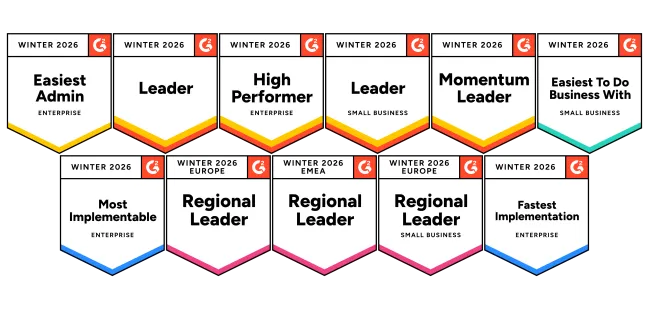
Automate by Fortra is a top-rated robotic process automation solution that solves real problems and delivers value fast with a no-code RPA solution.
- No-code automation quickly builds bots with drag-and-drop functionality, form-based development, and 70+ native actions.
- Step recorder easily creates robust screen recordings that mimics user interactions on web browsers and desktop applications.
- Event-driven triggers kick off workflows based on an event like a file arrival or an update to a database for end-to-end automation.
- Fast implementation and ROI for employee-driven, enterprise-wide automation
- Simple pricing with no hidden costs to deploy bots as attended or unattended
- Flexibility and scalability takes your automation from basic tasks to enterprise workflows
Get Started with RPA
Start a free trial of Automate to see how you can get up and running fast to see quick ROI.